Lab 1: Artemis and Bluetooth
Prelab
Setup
Arduino IDE Configuration:
- Installed Arduino IDE with SparkFun Apollo3 board manager
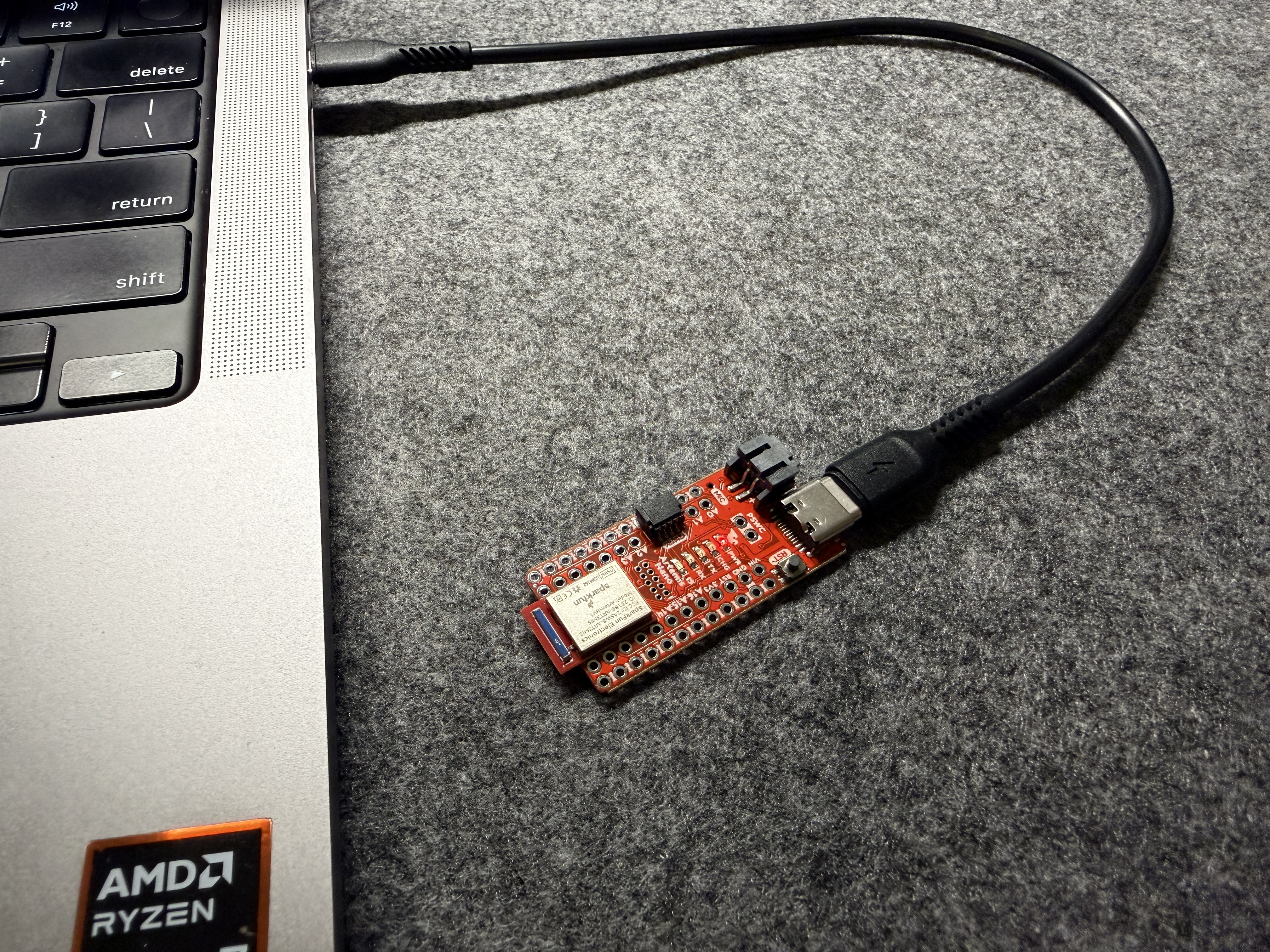
- Successfully connected and programmed the Artemis Nano board
- Tested basic functionality with Example sketches (Blink, Serial, AnalogRead, MicrophoneOutput)
Python Environment Setup:
- Created conda virtual environment
fastrobot - Installed required packages:
numpy,pyyaml,colorama,nest_asyncio,bleak,jupyterlab - Started Jupyter server for running notebooks
MAC Address Configuration:
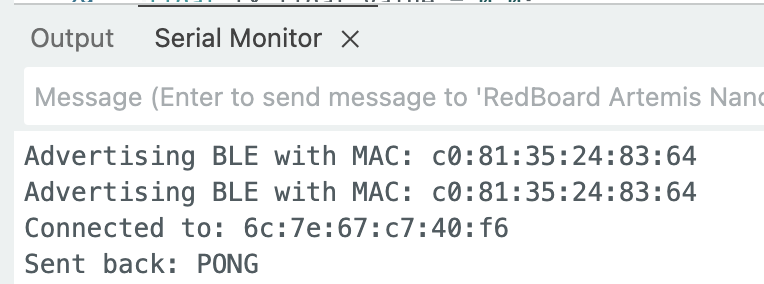
The Artemis board MAC address was obtained from the Serial Monitor:
Artemis MAC: C0:81:31:25:23:64
Codebase Understanding
Bluetooth Low Energy (BLE) Architecture:
The BLE communication uses a client-server model:
- Artemis board acts as the peripheral (server), advertising BLE services and listening for commands
- Computer (Python) acts as the central (client), connecting to the peripheral and sending/receiving data
Key Components:
- UUIDs: Unique identifiers for BLE service and characteristics
- GATT Characteristics: Define data types (RX_STRING, TX_STRING, TX_FLOAT)
- Command Protocol: Commands formatted as
<cmd_type>:<value1>|<value2>|... - Notification Handlers: Asynchronous callbacks for receiving data
Lab Tasks
Configurations
Generated a unique service UUID to avoid conflicts with other boards:
from uuid import uuid4
uuid4()  # Generated: d1e59283-ea64-46d2-9619-feda9179e362
Updated configuration files (ble_arduino.ino, connections.yaml, cmd_types.py) with new UUIDs and added command types for all tasks.
Task 1: ECHO Command
Objective: Send a string from computer to Artemis and receive an augmented response.
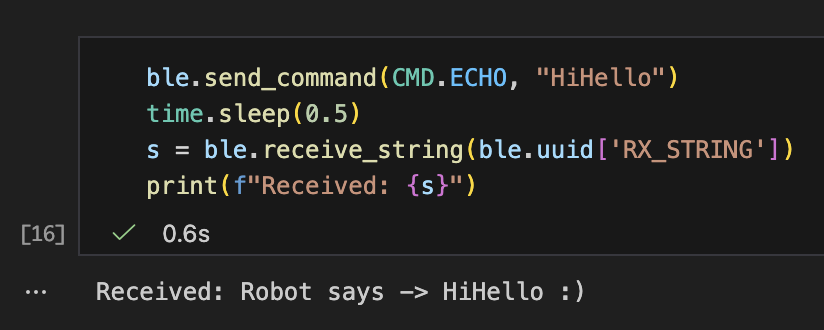
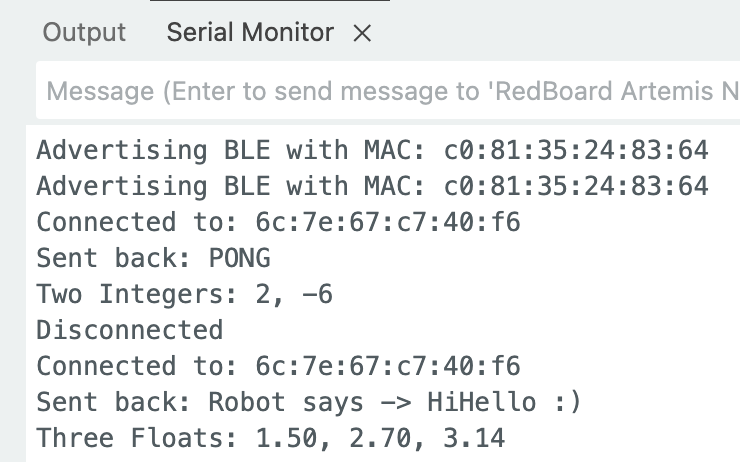
Solution: Implemented ECHO command handler that receives a string, adds prefix “Robot says -> “ and suffix “ :)”, then sends back via BLE. Tested by sending “HiHello” and successfully received “Robot says -> HiHello :)”.
Task 2: SEND_THREE_FLOATS
Objective: Extract three float values from a command string.
Solution: Used robot_cmd.get_next_value() to parse three floats from the command string separated by | delimiter. Successfully extracted and printed values (1.5, 2.7, 3.14) to Serial Monitor.
Task 3: GET_TIME_MILLIS Command
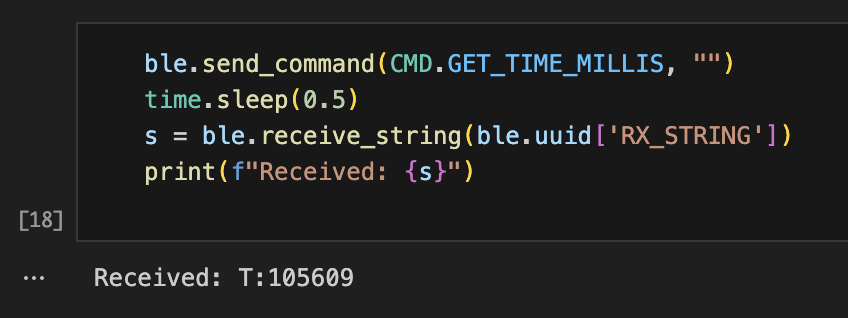
Objective: Create a command that returns current time in milliseconds.
Solution: Implemented command handler that formats time as T:timestamp using millis() function and sends via BLE characteristic. Successfully tested with response format “T:105609”.
Task 4: Notification Handler Setup
Objective: Set up Python notification handler for asynchronous data reception.
Solution: Created callback function notification_handler() that automatically processes incoming BLE notifications. The handler parses timestamp strings and records both the timestamp value and arrival time for rate analysis. This enables non-blocking data reception without constant polling.
Task 5: Real-time Data Transfer Rate
Objective: Measure effective data transfer rate using continuous requests.
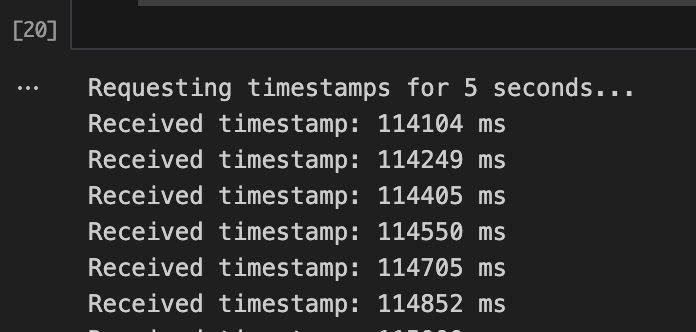
Method: Sent GET_TIME_MILLIS commands repeatedly for 5 seconds while notification handler recorded all responses and their arrival times.
Results:
- Sent 33 requests in 5 seconds
- Received 32 responses
- Effective rate: 6.79 messages/second (~147ms per message)
Analysis: Despite requesting every 100ms, actual rate is limited by BLE connection intervals and notification processing overhead.
Task 6: Array Storage and Batch Transfer
Objective: Store timestamps in array on Artemis and send in batch.
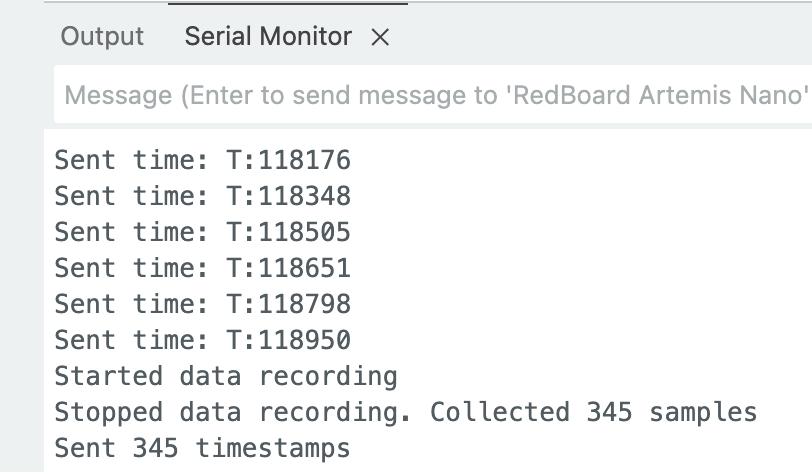
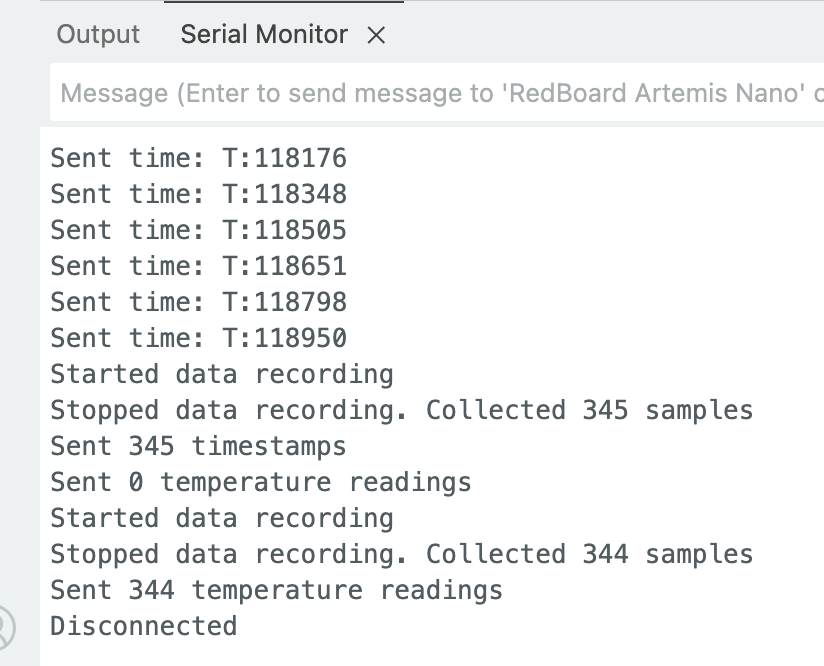
Solution: Created global arrays (timeStamps[1000]) and implemented START/STOP recording commands. Data is collected every 10ms in the main loop when recording is enabled. The SEND_TIME_DATA command loops through the array and transmits all stored timestamps.
Results:
- Collected 344 samples in 3 seconds
- Sampling rate: ~115 samples/second (10ms interval)
- Much faster than real-time transmission method
Key Code:
if (collectingData && (millis() - lastSampleTime >= sampleInterval)) {
    timeStamps[dataIndex++] = millis();
    lastSampleTime = millis();
}
Task 7: Temperature Readings with Timestamps
Objective: Record temperature data with timestamps and send both arrays together.
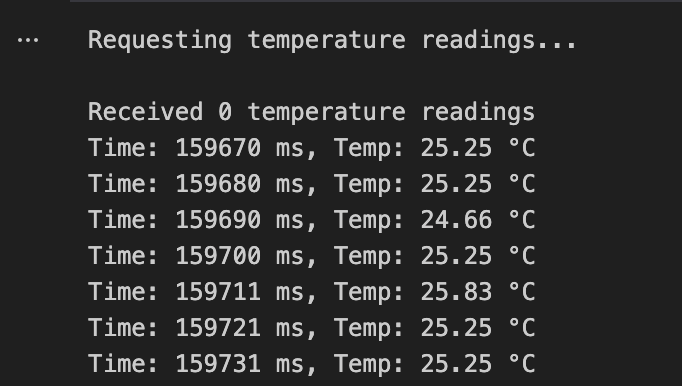
Solution: Extended Task 6 by adding temperature array. Both timestamp and temperature are collected simultaneously using getTempDegC(). Data is sent as combined string format T:12345|C:33.25 for easy parsing.
Results:
- Successfully collected 344 paired readings
- Temperature stable around 33°C (board temperature)
- Python handler correctly parsed both values from each message
Discussion
Method Comparison
Real-time Request-Response:
- Rate: ~7 messages/second
- Advantage: Immediate feedback, low memory usage
- Disadvantage: Cannot sample fast sensors
- Use case: Interactive control, slow-changing data
Batch Collection:
- Rate: ~100 samples/second
- Advantage: Fast sampling, efficient bandwidth use
- Disadvantage: Delayed feedback, higher memory usage
- Use case: IMU/ToF sensors, post-processing analysis
Data Collection Speed
The batch method samples as fast as the loop allows (currently 10ms interval = 100 Hz). This can be increased further if needed, limited only by loop execution time rather than BLE transmission speed.
Memory Analysis
Artemis RAM: 384 kB total
Current implementation: 8,000 bytes (1000 timestamps + 1000 temperatures)
Maximum capacity: With ~280 kB usable (leaving space for program/stack):
- Timestamp + temperature: ~35,000 samples (5.8 minutes at 100 Hz)
- Multi-axis IMU data: ~17,500 samples (2.9 minutes at 100 Hz)
Key Learnings
- BLE overhead is significant - Real-time communication limited to ~7 msg/s due to connection intervals and processing delays
- Batch transfer essential for fast sensors - Local storage enables 100+ Hz sampling despite slow BLE transmission
- Memory management matters - Must balance sample count vs. data types vs. recording duration
- Notification handlers enable non-blocking I/O - Critical for responsive real-time systems
Meet with my cat Mulberry! 🐱