Lab 1: Artemis and Bluetooth
Prelab
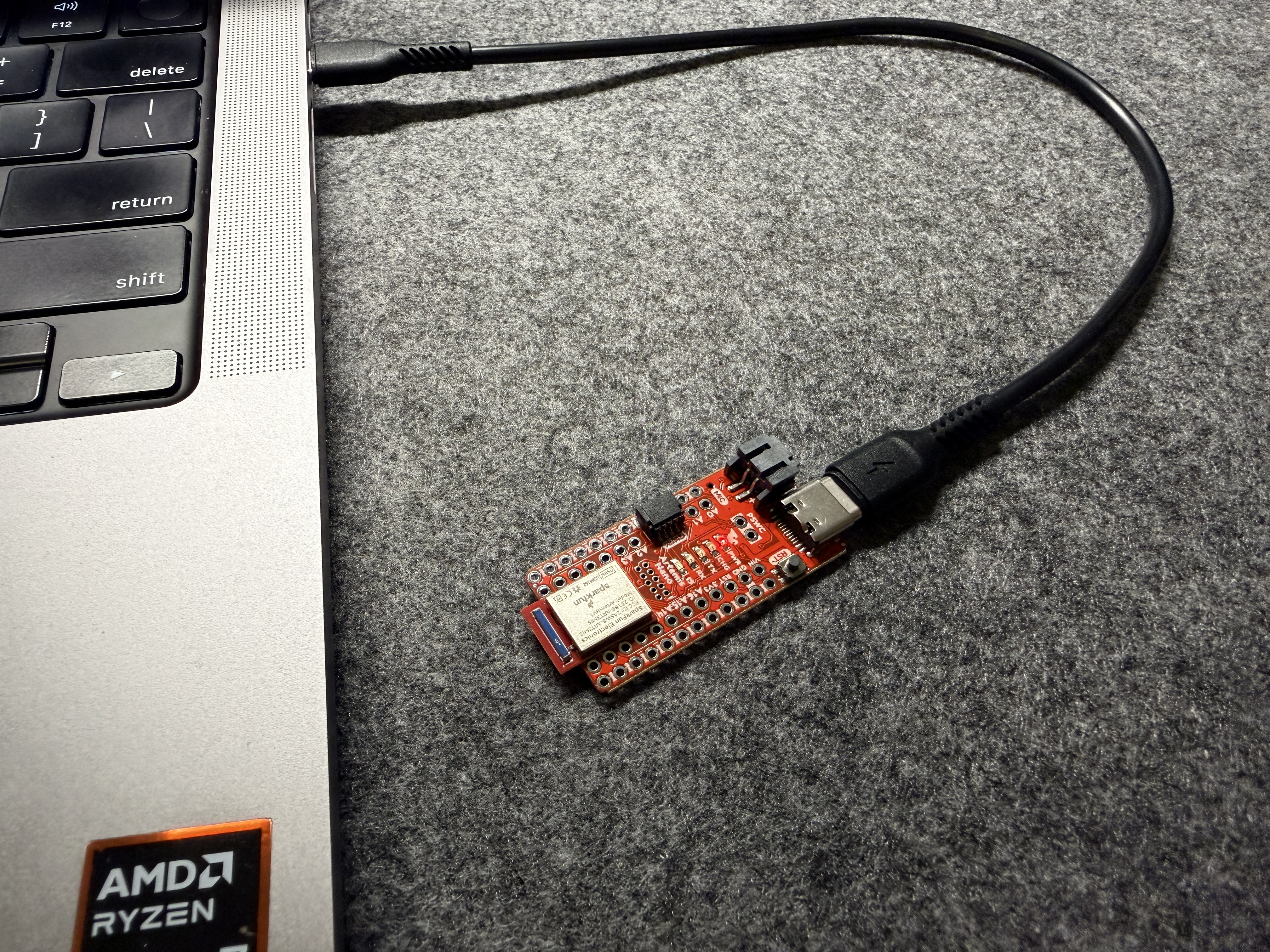
I installed the Arduino IDE, the SparkFun Apollo3 board package, and the Python packages used by the BLE notebook. I also programmed the Artemis Nano with the example sketches before touching the BLE codebase. That step mattered because it let me separate board setup problems from Bluetooth problems. If Blink, Serial, AnalogRead, and the microphone example all worked, then I knew the board, USB connection, serial monitor, and toolchain were fine.
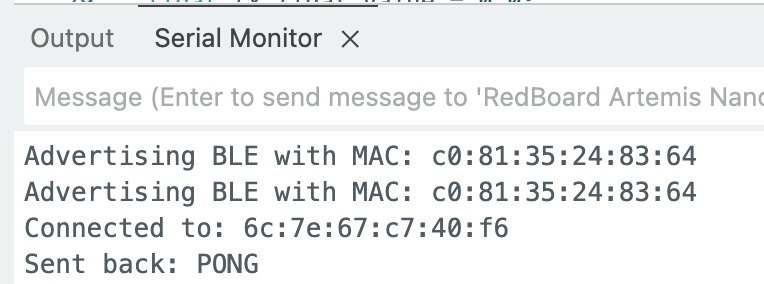
The Artemis board MAC address came from the serial monitor:
Artemis MAC: C0:81:31:25:23:64
Lab 1A discussion
For Lab 1A I used the example programs as a hardware sanity check and as a way to learn the development flow. Blink confirmed that I could compile, flash, and run a sketch on the board. Example4_Serial showed me how the Artemis prints to the serial monitor and how it reacts to user input. Example2_analogRead showed that the onboard temperature sensor changes slowly, which is why my later temperature plots stayed near the low 30 C range unless I touched the chip for a while. Example1_MicrophoneOutput was useful because it showed that sensor data can stream quickly, which motivated the need for buffered collection later in Lab 1B.
The main thing I learned from Lab 1A was that the board side and the host side need different debugging strategies. For board setup I relied on the serial monitor and example sketches. For BLE tasks I had to inspect both the Arduino command handler and the Python notebook because a bug could come from the transmitted command string, the parser on the Artemis, or the notification logic on the laptop.
BLE setup
BLE in this lab uses a simple central and peripheral model. The Artemis acts as the peripheral and exposes string characteristics. The computer runs Python as the central and sends command strings of the form <cmd_type>:<value1>|<value2>|.... I generated a unique service UUID so my board would not conflict with nearby boards in lab:
from uuid import uuid4
uuid4()
After that I updated the UUID values in the Arduino and Python config files so both sides were using the same service and characteristics.
Echo command
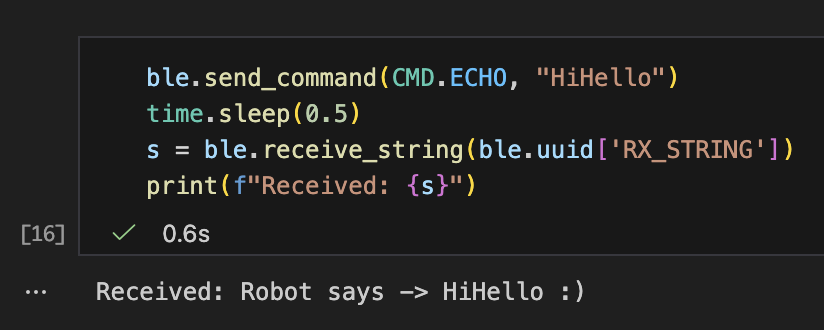
The first BLE task was the simplest full round trip. I wanted to verify that the PC could send a command string, that the Artemis could parse it, and that the Artemis could write a reply back to the string characteristic. I sent "HiHello" and received "Robot says -> HiHello :)", which confirmed that both transmit directions were working.
Arduino: echo case block
case ECHO:
{
    char char_arr[MAX_MSG_SIZE];
    success = robot_cmd.get_next_value(char_arr);
    if (!success)
        return;

    tx_estring_value.clear();
    tx_estring_value.append("Robot says -> ");
    tx_estring_value.append(char_arr);
    tx_estring_value.append(" :)");
    tx_characteristic_string.writeValue(tx_estring_value.c_str());

    Serial.print("Sent back: ");
    Serial.println(tx_estring_value.c_str());
    break;
}
Python: send and receive echo
ble.send_command(CMD.ECHO, "HiHello")
time.sleep(0.5)
s = ble.receive_string(ble.uuid['RX_STRING'])
print(f"Received: {s}")
Float parsing
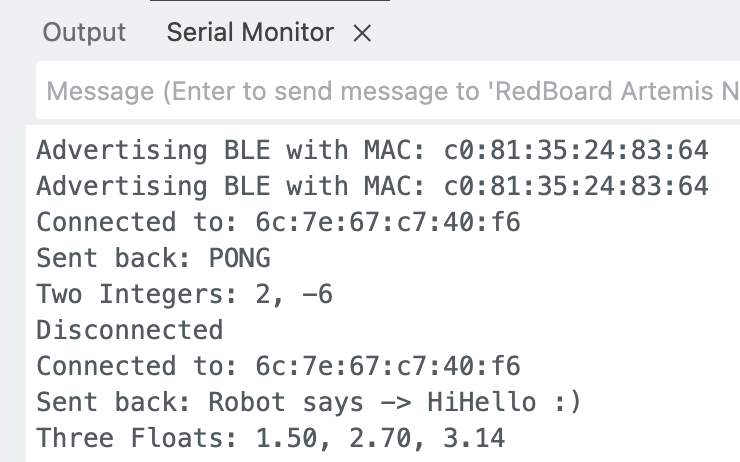
This task was mostly about understanding the command format. The values are packed into one string with | as the delimiter, so the important part on the Arduino side was calling get_next_value() in the same order that the values were sent. I sent 1.5|2.7|3.14 and the serial monitor printed the same three floats, so the parser was reading the payload correctly.
Arduino: parse three floats
case SEND_THREE_FLOATS:
{
    float float_a, float_b, float_c;

    success = robot_cmd.get_next_value(float_a);
    if (!success)
        return;

    success = robot_cmd.get_next_value(float_b);
    if (!success)
        return;

    success = robot_cmd.get_next_value(float_c);
    if (!success)
        return;

    Serial.print("Three Floats: ");
    Serial.print(float_a);
    Serial.print(", ");
    Serial.print(float_b);
    Serial.print(", ");
    Serial.println(float_c);
    break;
}
Python: send three floats
ble.send_command(CMD.SEND_THREE_FLOATS, "1.5|2.7|3.14")
Millisecond timestamp
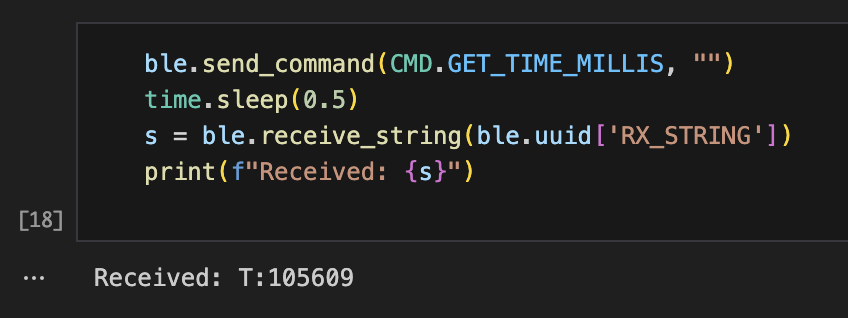
For the time command I used millis() on the Artemis and formatted the response as T:<timestamp>. I used a string prefix because that made it easy for the Python notification callback to recognize timestamp messages without needing a separate characteristic. One test returned T:105609, which matched the expected format.
Arduino: return millis timestamp
case GET_TIME_MILLIS:
    tx_estring_value.clear();
    tx_estring_value.append("T:");
    tx_estring_value.append((int)millis());
    tx_characteristic_string.writeValue(tx_estring_value.c_str());

    Serial.print("Sent time: ");
    Serial.println(tx_estring_value.c_str());
    break;
Python: request one timestamp
ble.send_command(CMD.GET_TIME_MILLIS, "")
time.sleep(0.5)
s = ble.receive_string(ble.uuid['RX_STRING'])
print(f"Received: {s}")
Notifications and transfer rate
Polling receive_string() works for one reply, but it does not scale for repeated messages. For that reason I switched to BLE notifications. The callback converted the byte array to a string, checked for the T: prefix, parsed the integer timestamp, and also recorded the laptop arrival time. Recording both values let me estimate the effective transfer rate from the host side.
Python: notification callback and registration
timestamps = []
arrival_times = []

def notification_handler(uuid, byte_array):
    global timestamps, arrival_times
    s = ble.bytearray_to_string(byte_array)
    arrival_time = time.time()

    if s.startswith("T:"):
        try:
            timestamp = int(s.split(":")[1].split("|")[0])
            timestamps.append(timestamp)
            arrival_times.append(arrival_time)
            print(f"Received timestamp: {timestamp} ms")
        except:
            print(f"Error parsing: {s}")

ble.start_notify(ble.uuid['RX_STRING'], notification_handler)
print("Ready to receive data.")
Python: repeated timestamp requests
timestamps.clear()
arrival_times.clear()

print("Requesting timestamps for 5 seconds...")
start_time = time.time()
count = 0

while time.time() - start_time < 5:
    ble.send_command(CMD.GET_TIME_MILLIS, "")
    count += 1
    time.sleep(0.1)
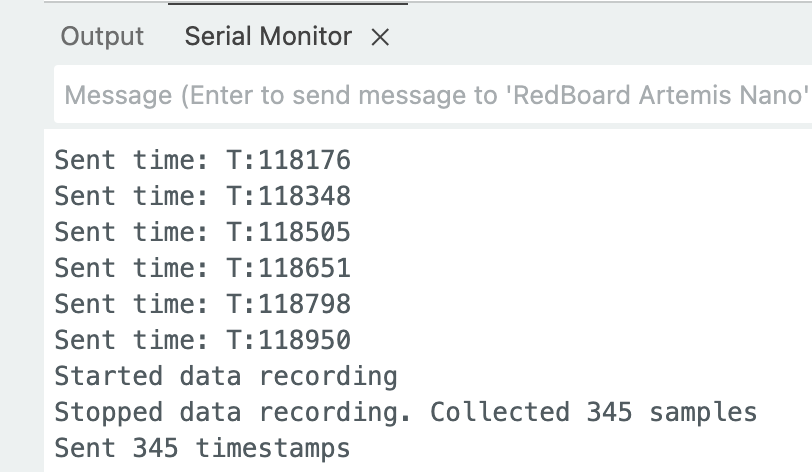
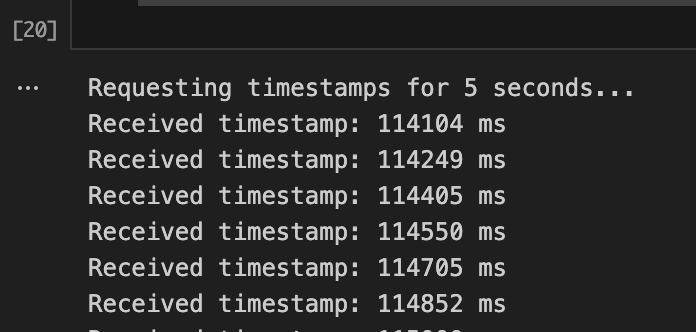
In 5 seconds I sent 33 requests and received 32 replies. That gives an effective rate of about 6.79 messages per second, or about 147 ms per message. This is much slower than the 100 ms request interval. The gap comes from BLE overhead, notification latency, and the fact that request and response both take time. This result made it clear that fast sensors should not stream one sample at a time over BLE.
Buffered timestamp collection
To avoid BLE becoming the bottleneck, I stored samples locally on the Artemis and transmitted them later in a batch. The important design pieces were the array definition, the recording flag, the millis() based sampling check inside loop(), and a command that iterates through the array and sends each stored timestamp. I also included an overflow guard so the code stops writing new samples once the array reaches MAX_DATA_SIZE.
Arduino: array storage for timestamps
#define MAX_DATA_SIZE 1000
unsigned long timeStamps[MAX_DATA_SIZE];
float tempReadings[MAX_DATA_SIZE];
int dataIndex = 0;
bool arrayFull = false;
bool collectingData = false;
unsigned long lastSampleTime = 0;
int sampleInterval = 10;
Arduino: record one sample with overflow guard
void
record_data()
{
    if (!arrayFull) {
        timeStamps[dataIndex] = millis();
        tempReadings[dataIndex] = getTempDegC();
        dataIndex++;

        if (dataIndex >= MAX_DATA_SIZE) {
            arrayFull = true;
            dataIndex = 0;
            Serial.println("Array is full!");
        }
    }
}
Arduino: start and stop recording
case START_RECORDING:
    collectingData = true;
    dataIndex = 0;
    arrayFull = false;
    tx_estring_value.clear();
    tx_estring_value.append("Recording started");
    tx_characteristic_string.writeValue(tx_estring_value.c_str());
    break;

case STOP_RECORDING:
    collectingData = false;
    tx_estring_value.clear();
    tx_estring_value.append("Recording stopped. Samples: ");
    tx_estring_value.append(dataIndex);
    tx_characteristic_string.writeValue(tx_estring_value.c_str());
    break;
Arduino: sampling logic inside loop
while (central.connected()) {
    write_data();
    read_data();

    if (collectingData && (millis() - lastSampleTime >= sampleInterval)) {
        record_data();
        lastSampleTime = millis();
    }
}
Arduino: send stored timestamps
case SEND_TIME_DATA:
{
    int limit = arrayFull ? MAX_DATA_SIZE : dataIndex;
    for (int i = 0; i < limit; i++) {
        tx_estring_value.clear();
        tx_estring_value.append("T:");
        tx_estring_value.append((int)timeStamps[i]);
        tx_characteristic_string.writeValue(tx_estring_value.c_str());
        delay(10);
    }

    dataIndex = 0;
    arrayFull = false;
    break;
}
Python: control recording and request batch data
ble.send_command(CMD.START_RECORDING, "")
time.sleep(3)
ble.send_command(CMD.STOP_RECORDING, "")

timestamps.clear()
arrival_times.clear()
ble.send_command(CMD.SEND_TIME_DATA, "")
time.sleep(5)
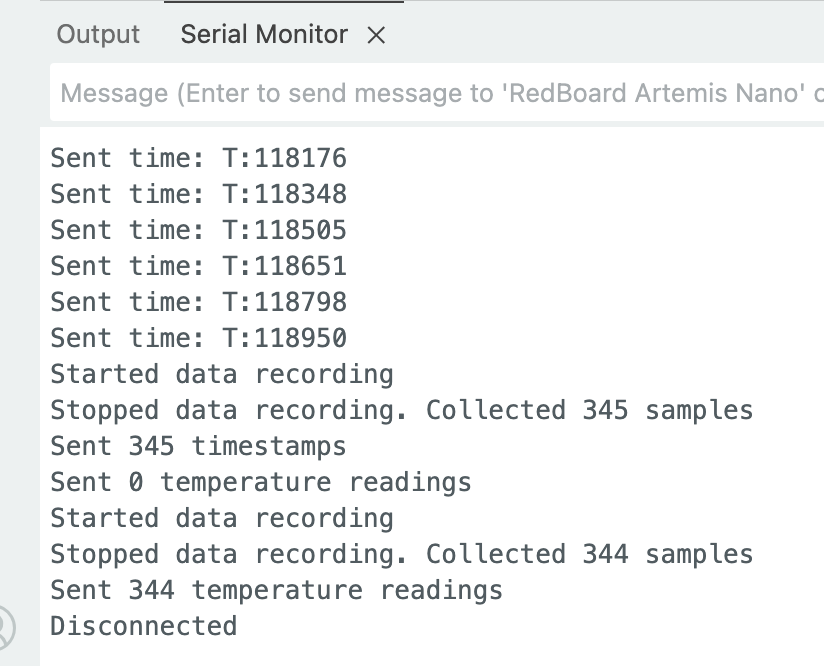
I collected 344 timestamps in about 3 seconds. Using the first and last stored timestamps, the estimated sampling rate was about 115 samples per second. That is roughly 17 times faster than the real time request and reply method. The exact rate is a little above 100 Hz because the reported value comes from actual timestamps rather than the nominal 10 ms interval.
Buffered temperature data
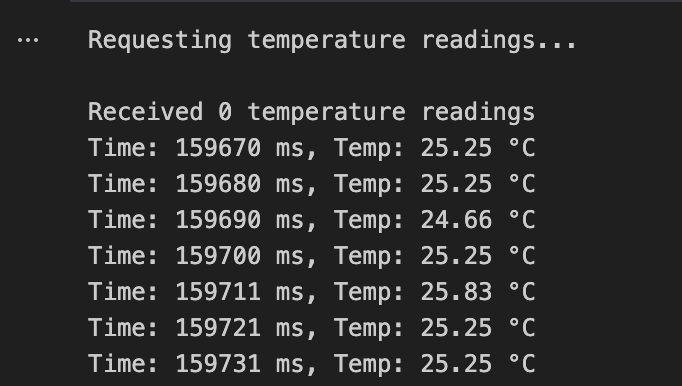
For the last task I extended the buffered approach to send timestamp and temperature pairs together. I kept the timestamp and temperature in parallel arrays so each sample index referred to one measurement time and one temperature reading. On transmit, I packed each sample as T:<timestamp>|C:<temp>, which made the Python parser simple and readable.
Arduino: send timestamp and temperature pairs
case GET_TEMP_READINGS:
{
    int tempLimit = arrayFull ? MAX_DATA_SIZE : dataIndex;
    for (int i = 0; i < tempLimit; i++) {
        tx_estring_value.clear();
        tx_estring_value.append("T:");
        tx_estring_value.append((int)timeStamps[i]);
        tx_estring_value.append("|C:");
        tx_estring_value.append(tempReadings[i]);
        tx_characteristic_string.writeValue(tx_estring_value.c_str());
        delay(10);
    }

    dataIndex = 0;
    arrayFull = false;
    break;
}
Python: parse temperature notifications
timestamps.clear()
temp_readings = []

def temp_notification_handler(uuid, byte_array):
    global timestamps, temp_readings
    s = ble.bytearray_to_string(byte_array)

    if "T:" in s and "|C:" in s:
        try:
            parts = s.split("|")
            timestamp = int(parts[0].split(":")[1])
            temp = float(parts[1].split(":")[1])
            timestamps.append(timestamp)
            temp_readings.append(temp)
            print(f"Time: {timestamp} ms, Temp: {temp:.2f} C")
        except Exception as e:
            print(f"Error parsing: {s}, Error: {e}")

ble.stop_notify(ble.uuid['RX_STRING'])
ble.start_notify(ble.uuid['RX_STRING'], temp_notification_handler)
ble.send_command(CMD.GET_TEMP_READINGS, "")
I received 344 paired readings, which matched the number of stored timestamp samples. The temperature stayed around 33 C, which is reasonable for the onboard sensor sitting on a powered board at room conditions. The important result here was not the absolute temperature value. It was that the parser correctly split every combined message into synchronized time and temperature data.
Discussion
The main comparison in this lab is real time BLE transfer versus local buffering on the Artemis. The request and reply method only achieved about 6.79 messages per second. That rate is fine for debugging or simple commands, but it is too slow for sensors that should run near 100 Hz or faster. The buffered method collected about 115 samples per second over a 3 second window, which is much closer to the timing needed for later IMU and ToF work.
This difference happens because BLE is good at exchanging commands and chunks of data, but it is not efficient when every sample requires its own command, parsing step, characteristic write, notification, and Python side processing. Using millis() inside loop() avoids blocking on the radio and lets the board sample based on its own timing. Then BLE is used for what it does better, which is transferring completed batches.
Memory use is the main tradeoff of buffering. With 1000 timestamps and 1000 temperature values, the storage cost is about 8000 bytes. That is small compared with the 384 kB RAM on the Artemis, so this lab setup is safe. Later labs will store more channels, so the same idea still works, but array size and overflow checks become more important.
Meet my cat Mulberry! 🐱